 Recess


Does it block my apps?
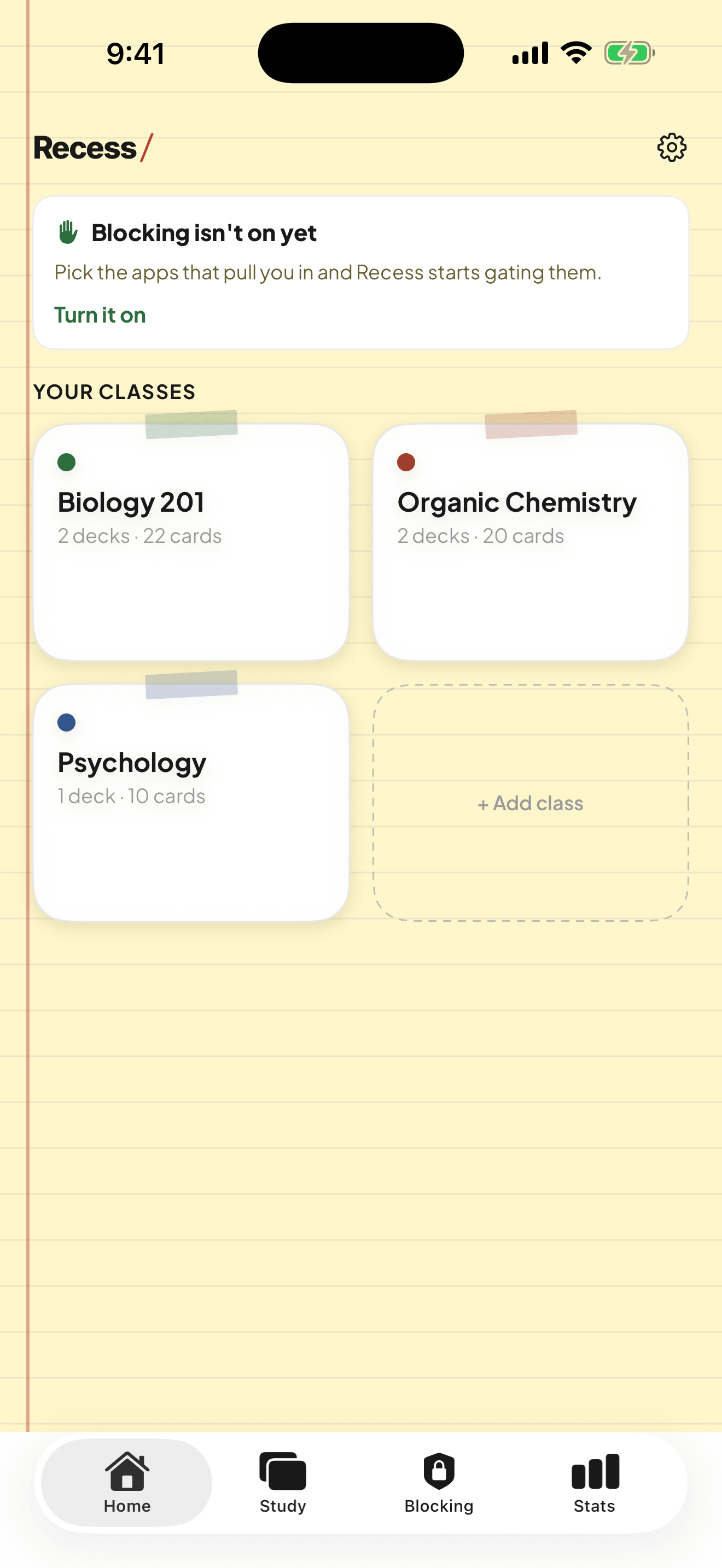
It puts a soft gate in front of the apps you pick, using Screen Time. Right before the feed opens, a few cards from your own deck. You pick how many. Strict mode closes the early exit.
All that phone time can finally work for you. A few cards from your own notes stand in front of the feed, so the scroll turns into better grades. No extra study hours.
Your scroll today
Nothing sticks.
Your scroll with Recess

Same scroll. Now it counts.
You pick how many cards stand in front of the feed. Get them, and you are in.
How it works
TikTok, Instagram, X, whatever pulls you in. Recess puts a soft gate in front of them using Screen Time.
Snap a photo of your notes or drop in a PDF. AI turns them into flashcards in seconds. Or write your own by hand.
Right before the feed opens, a few cards from your own deck. You pick how many. Get them, and you are in. Miss one, and you review.
Why it works
Recess is not a willpower app. It turns the time you already lose into spaced, active recall, which is what the learning research has pointed at for decades.
Pulling an answer out of your head is one of the most reliable ways to make it stick. Recess makes the unlock a tiny test, not a passive scroll.
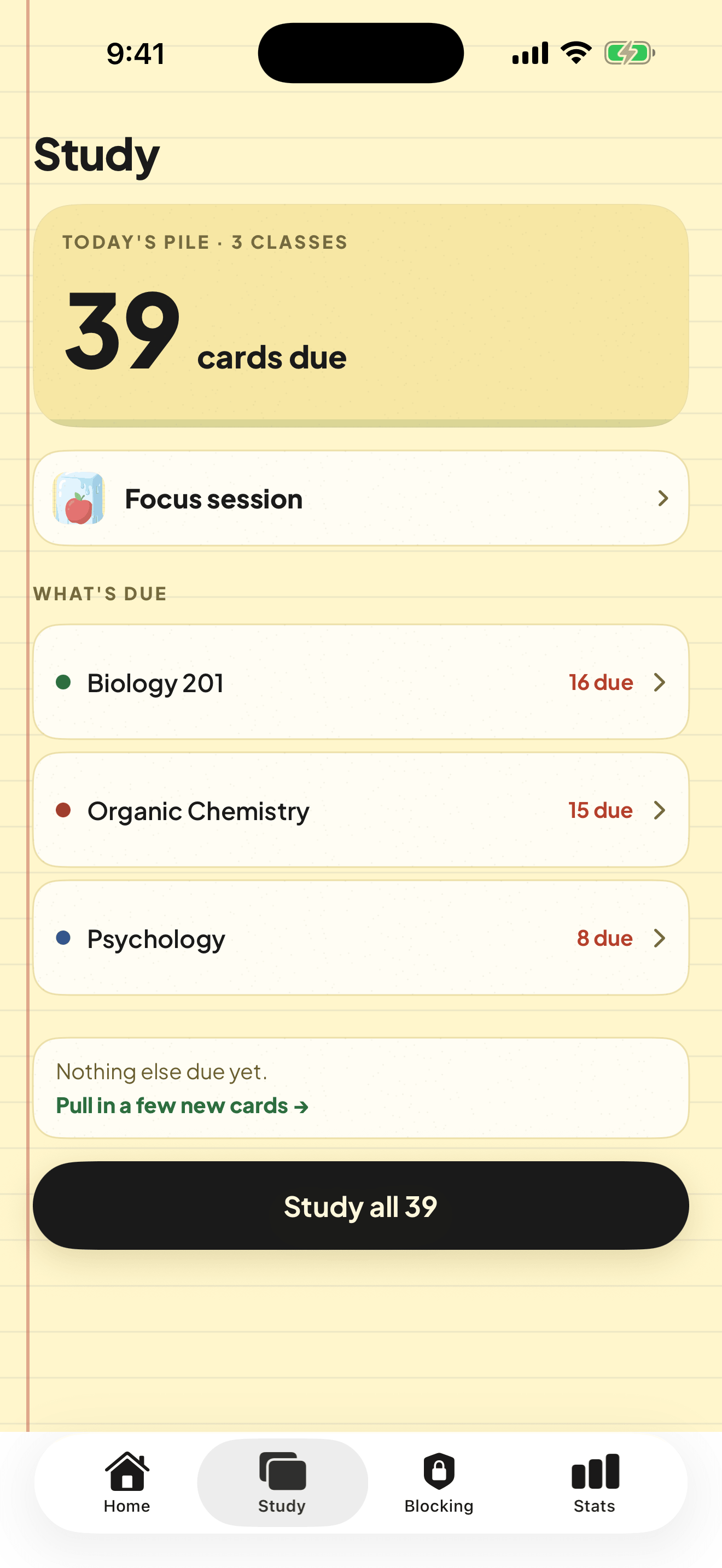
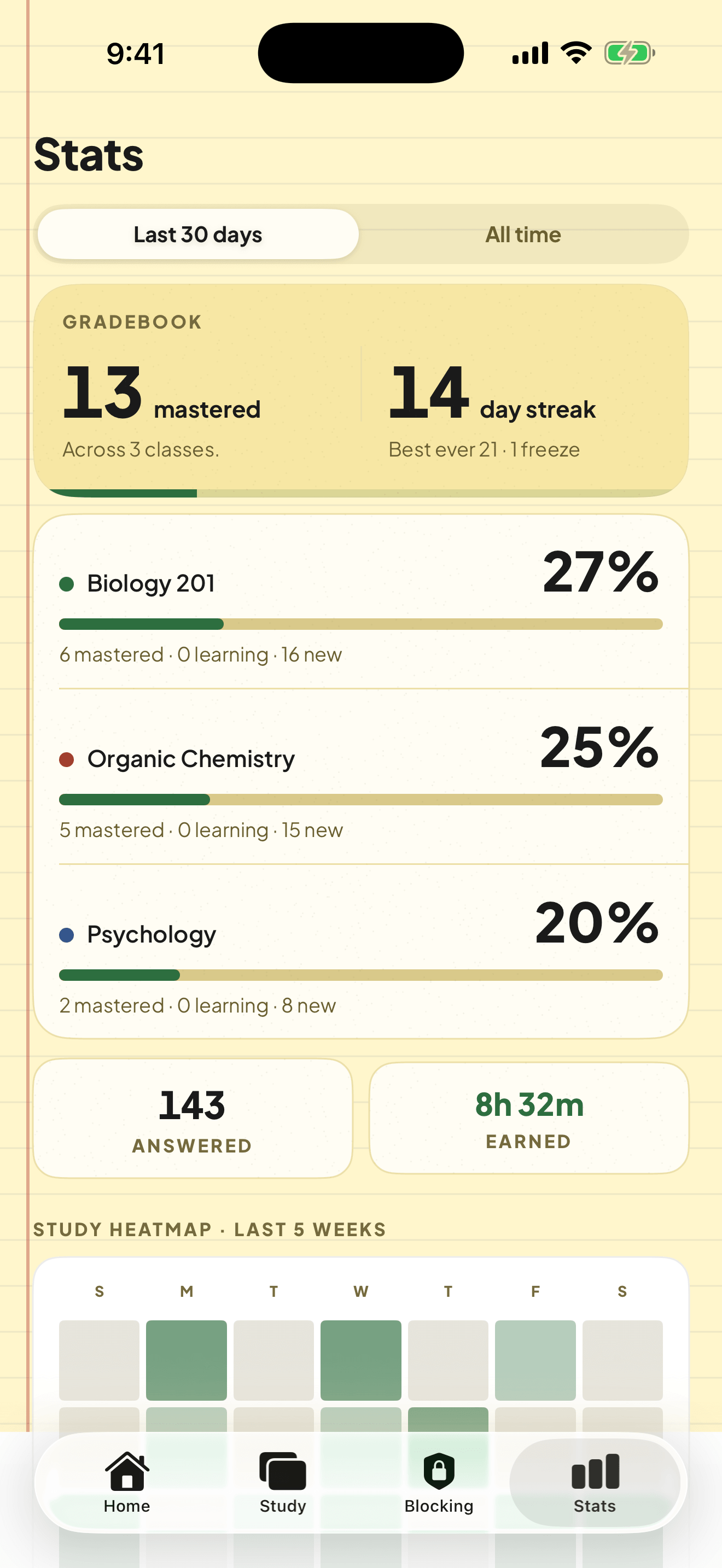
Each card comes back right before you would forget it, using the same modern algorithm serious learners use. You just answer; the timing is handled.
You are already opening these apps a dozen times a day. That is a dozen reps you were never going to get from a textbook.
A look inside
Pricing
AI builds your decks. You just study. Free to download. The yearly plan starts with a 7 day free trial.
$39.99 a year
Best value. Save 74% vs monthly.
or $12.99 a month, billed right away.
Questions
It puts a soft gate in front of the apps you pick, using Screen Time. Right before the feed opens, a few cards from your own deck. You pick how many. Strict mode closes the early exit.
Snap a photo of your notes or drop in a PDF. AI turns them into flashcards in seconds. Or write your own by hand.
You review. Each card comes back right before you would forget it, scheduled by FSRS.
$39.99 a year with a 7 day free trial, or $12.99 a month. Free to download.
Recess is out now. Drop your email and you will hear about new features first, plus the odd study tip worth stealing.